

All (Support) Systems Go!
Houston… we have lift off!
As you will have seen from our socials, times are changing at Yellow Cherry. Following the launch of our fresh rebrand, we have some exciting updates to share.
HQ has been busy, as we’ve been looking at ways to continue improving the way we do things so we can best support our clients. With this in mind, we’re now ready to unveil a shiny new support system for you to contact us regarding all your technical support needs. This is a great step forward for the team and our clients – you can meet our new system below!
For those who aren’t familiar, we previously would ask clients to email our shared inbox at support@yellowcherry.uk. But now we have a built-in ticketing system on our website that holds the ability to log and check-in on support requests. This means that communicating your support needs to the team is easier than ever, with all of your communications being kept in one, easy to find place. Hurrah!
We appreciate that this will be a big change for our longer-term clients, but not to worry, as always, the Cherries are on hand to help support you with this.
Getting Started
To begin your new, super support ticket journey, head on over to https://yellowcherry.uk/services/build/support-ticket/
In order to create a ticket, you will need to create an account. Not to worry, this is a quick and simple process so all you need is your name and email address.
Please note – we guarantee that your email address will not be used for anything other than contacting you in relation to your support requests.
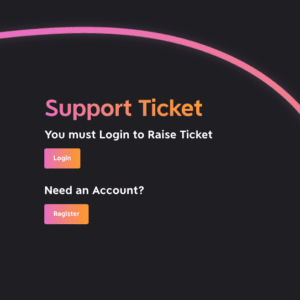
Once you’ve registered, you will receive an email shortly after that provides you with a password creation link.
(Remember to make a note of your password for future reference!)
After you have successfully set up your log in details, you can take your first steps in creating your support ticket.
You’ll see our stripped-back support ticket form which will be used to log your request:
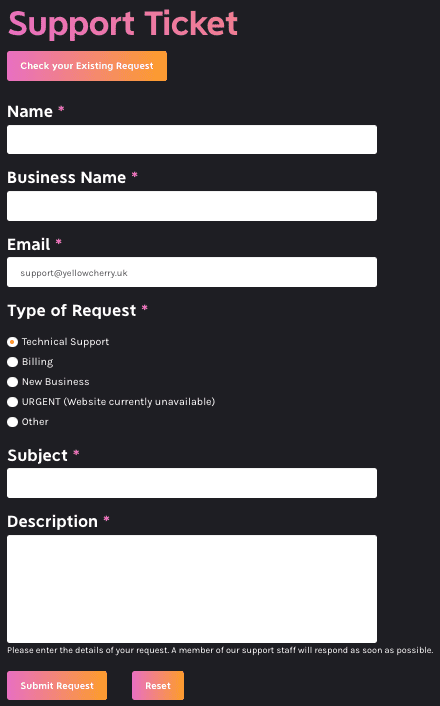
After filling out your contact details, we’ll ask you to indicate your Type of Request, Subject Line and Description.
We’ve outlined some examples of the ‘Type of Requests’ below:
Technical Support
Any text or image updates, adding new pages or PDFs, adding new functionality, fixing a conflict after software updates, updating plugins and extensions and/or any general maintenance on your website.
Billing
Enquiries related to billing, invoices, payment, domains or hosting.
New Business
Questions or enquiries related to a new web or design project.
Urgent
High priority issues with your website such as broken functionality, missing SSL certificates, display issues with feeds, email access issues, faulty contact forms etc.
Other
Additional requests that may not fall under the above options. The above options aren’t exhaustive and we are always more than happy to help when we can, so just let us know if there is something a bit different that you need a helping hand with.
What happens next we hear you ask?
By filling this form in and pressing ‘Submit Request’, the system will log a support ticket with our team who will be notified of your request. As usual, our Project Management team will review this with our Developers and make sure to get back to you in a timely manner. Rest assured, we are still very much hands-on despite the new digitalised system!
Once submitted, you will be emailed confirmation of your ticket and be notified through your contact email address when a support team member has updated your ticket with comments, or when the status of your ticket has been changed from Open, In Progress or Closed.
Logging in/replying
By creating an account and logging your ticket, you will now be able to access any of your outstanding or ongoing tickets by visiting: https://yellowcherry.uk/ticket/
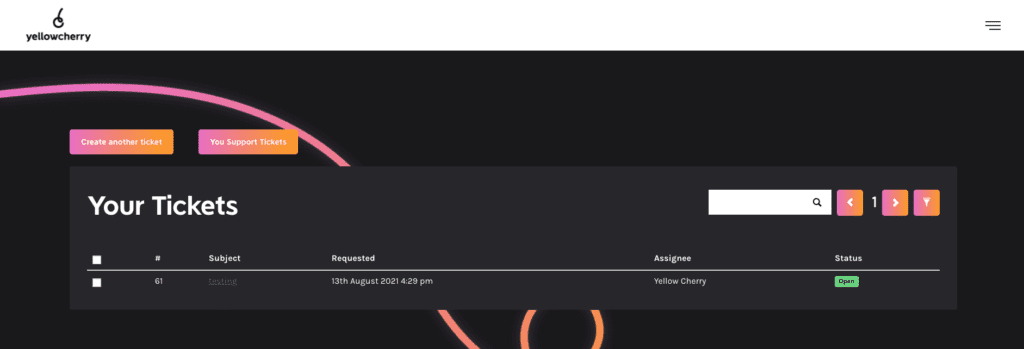
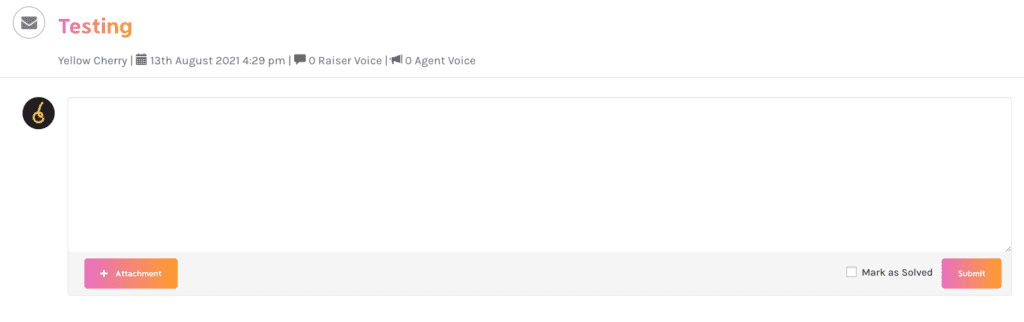
From here, you can click on your ticket ‘subject’, then add a reply to any comments from our team. Seamless!
The key benefit of this is that you won’t have to scroll through your email inbox to find responses or previous communications – you’ll see it all at the click of a button. Therefore this efficiency will save you time and money in the long run.
Ongoing Support
So who is this new ticketing system for?
We offer our support services on an ad-hoc basis to those who need them. Alternatively, you can choose to take a support package out with us.
Our support packages allow our clients the opportunity to pay for a chunk of time on a monthly basis, such as an hour a month, so we can carry out potential tweaks or fixes. The benefits of these packages include some peace of mind that time has been pre-paid time for us to help you when you need it!
What’s more, any time not used within the month can be banked and rolled over to the next. We know that one size doesn’t fit all, so our support services can start from as little as half an hour per month. We don’t think this needs to be contracted and don’t want our clients to feel like they are being tied down – so if you can cancel this at any time.
Ultimately, transparency is very important to us here at Yellow Cherry, so any costs will always be disclosed as soon as possible for those who get in touch and choose to pay as they go too.
If you have any teething issues with our new system or wish to speak to the team about ongoing support, please don’t hesitate to say hi at support@yellowcherry.uk