

We Phish you a Merry Christmas
Ah phishing emails, the gifts that keep coming all year round. It is however, especially irritating when a flurry of them seem to come out during the season of Goodwill To All Men.
What is a phishing email?
In short, it is an email that looks like it comes from a legitimate source – perhaps your bank or a supplier to your business. They will use the right logo and put the correct postal address in the footer, so on face value, it looks real. However, there will often be small clues which will make you realise something is not right. A spelling mistake perhaps, but then the big clue…they will usually include a threat of deletion/expiry/locked accounts/self combustion and ask you to click a link to avoid that happening.
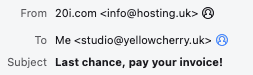
Here’s an example of an email we’ve seen. Looks a bit scary right? Of course you don’t want your website or emails to be suspended, so you figure ‘I’ll click the link and pay the small fee’. STOP! Alarm bells should be ringing at this point. Doesn’t this seem out of character and unusual behaviour from this organisation? If you are not sure always check. The chances are the links will take you somewhere and either send something nasty to your machine or ask for card details which could then be used for criminal activity.

Our Top Tips
There are a couple of simple things you can do to help you decide whether an email is genuine or phishing for your details.
1. Check the email address that is sending the email. It may look like it comes from the legitimate source but if the email address doesn’t match the domain of the website, that’s a tell to ignore the email. This email has been sent by info@hosting.uk but they have labelled the sender as 20i.com.
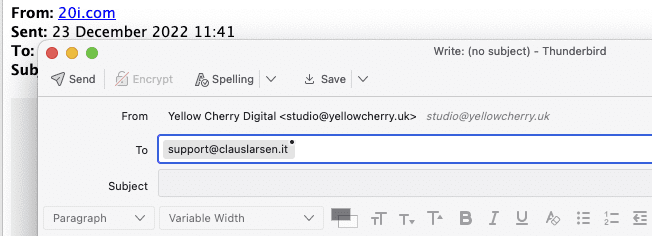
2. If you can’t see the email address you can usually click the email address to load up a draft message and that will display the real email address.
3. Within the actual email itself you may be able to see where the links go to. Depending on your email programme, if you hover your mouse over the link, the link destination will appear in the bottom left hand corner of your email client window.
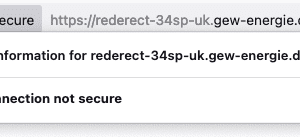
4. Now, we wouldn’t advise clicking on the link but if you do, the chances are you will be taken to an insecure page. Hopefully your browser at this point will alert you that the page does not have a security certificate or something is wrong with it and will not let you visit the page.
5. Common sense. Have a think about whether you actually pay this organisation or engage with them in any way. If the answer is no then go to the organisation that you think does and ask for their advice.
If you’re ever not sure, please don’t click any links and ask our friendly team for their opinion, we’re happy to help!